
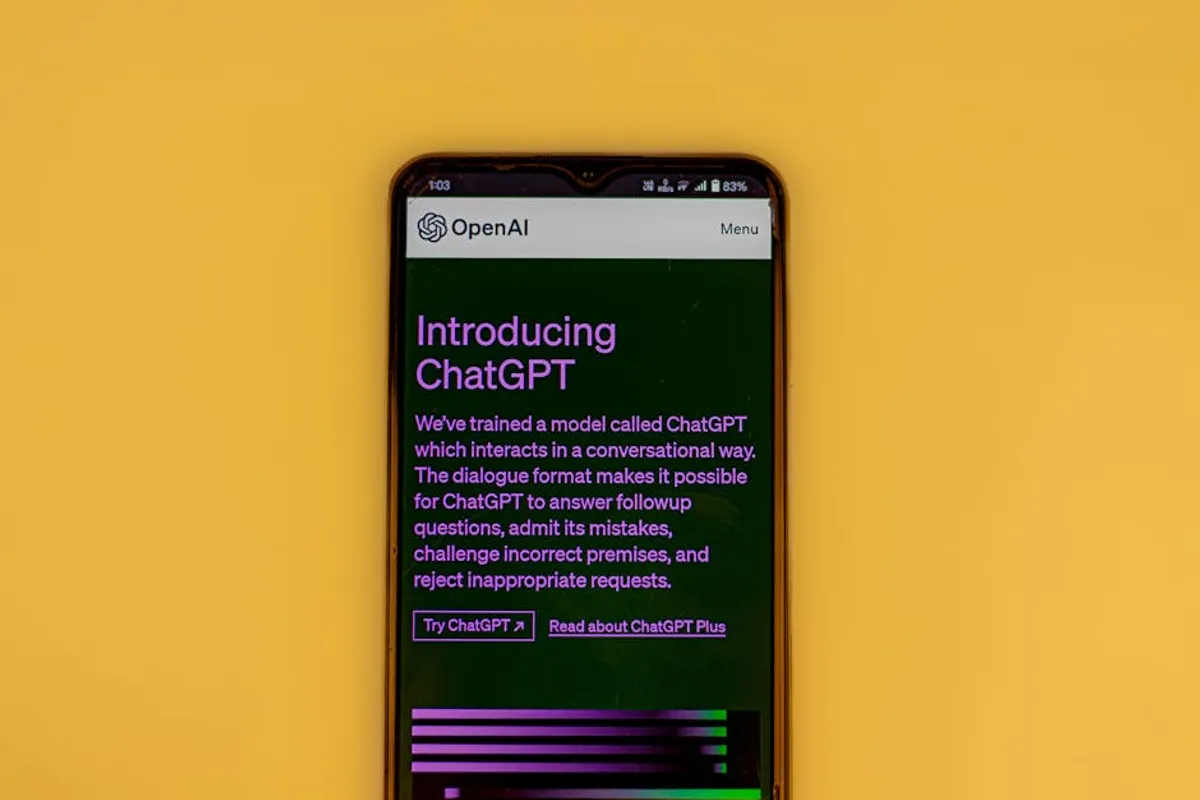
The digital tool landscape presents a fundamental choice for businesses and individuals: leverage the dynamic, generative capabilities of AI models like ChatGPT, or rely on the structured, rule-based functionality of traditional software applications. This decision hinges on understanding core operational differences in output, integration, and user interaction. While traditional applications excel at predefined tasks with predictable outcomes, generative AI offers flexibility, content creation, and conversational interfaces that redefine how work gets done. This article dissects the distinctions between these paradigms and presents leading alternatives in the generative AI space, enabling informed decisions for specific business needs. Understanding the differences between generative AI and traditional applications is key to making the right choice for your needs.
Traditional applications, such as CRM systems, accounting software, or graphic design suites, are built on explicit programming and fixed logic. They perform specific functions with high precision, requiring human input to direct each step within a defined workflow. Their value lies in automation of routine tasks, data management, and adherence to established processes. In contrast, generative AI models like ChatGPT operate on learned patterns from vast datasets, allowing them to understand context, generate novel content, and engage in nuanced conversation. This distinction means generative AI can adapt to varied prompts, produce diverse outputs, and even learn from interactions, capabilities largely absent in conventional software.
What to Look For in a Generative AI Solution
When evaluating generative AI tools that serve as alternatives to general-purpose models, consider several factors beyond basic text generation. The right solution integrates seamlessly into existing workflows and delivers measurable value.
- Model Capabilities and Specialization: Assess the AI's core strengths. Some excel at creative writing, others at code generation, data analysis, or multimodal tasks. Ensure the model's underlying architecture and training data align with your primary use cases.
- Integration and Ecosystem: Determine how easily the AI can connect with your current software stack. Look for APIs, plugins, or native integrations with CRM, project management, or content management systems. A standalone tool might offer less efficiency than one embedded in your workflow.
- Customization and Fine-tuning: For specific brand voices, technical domains, or proprietary data, evaluate options for fine-tuning the model or creating custom personas. This ensures outputs are relevant and consistent with your organizational standards.
- Data Privacy and Security: Understand how the AI provider handles your data. For sensitive business information, prioritize solutions with robust data encryption, strict access controls, and clear policies on data retention and usage.
- Scalability and Performance: Consider the volume of requests and the speed required. Enterprise-grade solutions offer higher throughput and reliability, while smaller tools might have limitations.
- Cost Model: Pricing structures vary significantly, from subscription tiers to token-based usage. Analyze your anticipated usage patterns to determine the most cost-effective solution without sacrificing necessary features.
1. Gemini (Google)
Gemini is Google's advanced multimodal AI model, designed to understand and operate across various data types including text, code, audio, image, and video. It serves as a direct competitor to other large language models, offering conversational AI capabilities alongside more specialized functions. Gemini is integrated into various Google products, aiming to enhance productivity and creativity within the Google ecosystem, from Workspace applications to search functions.
Key Features: Multimodal reasoning across text, image, audio, and video; advanced coding capabilities; deep integration with Google services; long context window; various model sizes (Ultra, Pro, Nano) for different use cases.
Pricing: Free access to a limited version through Google's consumer products. Paid tiers for more advanced capabilities, higher usage limits, and API access are available through Google Cloud's Vertex AI platform, with pricing typically based on usage (tokens, image inputs, etc.).
Best For: Users heavily invested in the Google ecosystem, developers building AI-powered applications, researchers requiring multimodal analysis, and businesses seeking a general-purpose AI with strong coding and data handling capabilities.
Pros:
- Seamless integration with Google Workspace and other Google products enhances existing workflows.
- Multimodal understanding allows for more complex interactions and diverse content generation.
- Strong performance in coding and mathematical reasoning, useful for development and data science tasks.
- Backed by Google's extensive research and infrastructure, suggesting continuous improvement and reliability.
Cons:
- Enterprise-level data privacy and customization options might require engagement with Google Cloud, adding complexity.
- Performance can vary across different modalities, and specific use cases might require fine-tuning for optimal results.
- The most advanced features and highest usage limits come with a cost that scales with demand.
2. Claude (Anthropic)
Claude is a family of large language models developed by Anthropic, distinguished by its focus on safety, helpfulness, and honesty, which Anthropic terms "Constitutional AI." Claude is designed to handle complex conversational tasks, long documents, and intricate reasoning with a reduced risk of generating harmful or biased content. It offers a conversational interface and API access for developers and businesses.
Key Features: Emphasis on safety and ethical AI; extended context windows for processing lengthy texts; strong performance in complex reasoning and summarization; conversational AI optimized for nuanced interactions; API access for custom applications.
Pricing: Free access to a basic version for personal use. Paid plans for higher usage limits, faster processing, and access to more powerful models (e.g., Claude 3 Opus, Sonnet, Haiku) are available via subscription or token-based API pricing.
Best For: Enterprises and organizations prioritizing AI safety and responsible deployment, legal and research professionals dealing with extensive documentation, content creators requiring long-form content generation, and developers building secure AI applications.
Pros:
- Advanced safety protocols reduce the generation of undesirable or harmful outputs, crucial for regulated industries.
- Exceptional long context window allows for processing and generating content from very large documents or conversations.
- Strong reasoning capabilities make it suitable for complex analytical tasks and nuanced understanding.
- Offers a more "human-like" conversational experience, beneficial for customer service and interactive applications.
Cons:
- May exhibit more conservative responses due to its safety-first design, potentially limiting creative freedom in some contexts.
- Integration into existing enterprise systems might require custom API development, depending on the specific use case.
- The most powerful models and highest usage tiers can incur significant costs for heavy users.
3. Microsoft Copilot
Microsoft Copilot integrates generative AI capabilities directly into Microsoft 365 applications, Windows, and the Edge browser. It acts as an intelligent assistant, leveraging large language models to enhance productivity across familiar tools like Word, Excel, PowerPoint, Outlook, and Teams. Copilot aims to transform how users interact with their data and create content by providing real-time assistance, summarization, and generation within their daily workflows.
Key Features: Deep integration with Microsoft 365 suite; AI assistance for drafting documents, analyzing data, creating presentations, and managing emails; enterprise-grade data security and compliance; available across Windows and Edge browser.
Pricing: Typically offered as an add-on subscription to existing Microsoft 365 business and enterprise plans. Specific pricing depends on the Microsoft 365 tier and the number of user licenses required.
Best For: Businesses and individuals heavily reliant on Microsoft 365 applications, enterprises seeking to boost productivity across their workforce, and organizations prioritizing integrated AI solutions within a secure, familiar ecosystem.
Pros:
- Seamless integration into widely used Microsoft 365 applications minimizes learning curves and maximizes adoption.
- Enhances productivity directly within core business tools, automating tasks like drafting, summarizing, and data analysis.
- Benefits from Microsoft's enterprise-level security, privacy, and compliance frameworks, crucial for corporate data.
- Acts as a unified AI assistant across various platforms, providing a consistent user experience.
Cons:
- Requires an existing Microsoft 365 subscription, making it less accessible for users outside that ecosystem.
- Functionality is tied to Microsoft's product roadmap, and customization beyond its intended scope can be limited.
- The added subscription cost for Copilot can increase overall software expenses for businesses.
4. Perplexity AI
Perplexity AI distinguishes itself as an AI-powered conversational answer engine rather than just a chatbot. It focuses on providing accurate, cited answers to queries by synthesizing information from the web in real-time. Unlike traditional search engines that return a list of links, Perplexity AI delivers direct answers accompanied by source citations, promoting transparency and verifiability, making it useful for research and fact-checking.
Key Features: Real-time web search and information synthesis; direct answers with source citations; conversational follow-up questions; "Focus" feature to narrow search domains (e.g., Academic, YouTube, Reddit); mobile app availability.
Pricing: Free basic access for limited queries. A "Pro" subscription offers higher query limits, access to more powerful models, and additional features like unlimited "Focus" searches and API access.
Best For: Researchers, students, journalists, content creators, and anyone needing quick, cited answers to complex questions without sifting through multiple search results. Ideal for fact-checking and information gathering.
Pros:
- Provides verifiable answers with direct links to sources, increasing trustworthiness and reducing hallucination risk.
- Efficiently synthesizes information from multiple web sources, saving time compared to traditional search methods.
- "Focus" feature allows users to tailor searches to specific domains, improving relevance for niche queries.
- Offers a clean, conversational interface that simplifies complex information retrieval.
Cons:
- While good for information retrieval, its generative capabilities for creative writing or complex content generation are less pronounced than dedicated AI writing tools.
- Reliance on real-time web data means its accuracy is dependent on the quality and availability of online sources.
- The free tier has usage limitations, and heavy users will need to subscribe to the Pro version.
5. Jasper
Jasper is an AI writing assistant specifically designed for marketing, content creation, and business communication. It offers a suite of templates and tools to generate various forms of content, from blog posts and social media captions to ad copy and product descriptions. Jasper aims to help users overcome writer's block, scale content production, and maintain brand voice consistency across different channels, functioning more like a specialized application than a general AI model.
Key Features: Over 50 content templates; Brand Voice feature for consistent tone; SEO integration with tools like Surfer SEO; long-form content generation; Boss Mode for advanced commands; multilingual content creation.
Pricing: Subscription-based plans (Creator, Teams, Business) with varying word limits, features, and user access. Pricing scales with usage and team size, with custom options for enterprise clients.
Best For: Marketing teams, content agencies, small business owners, and solo entrepreneurs who need to produce high volumes of marketing copy, blog posts, and digital content efficiently while maintaining brand consistency.
Pros:
- Specialized templates and workflows streamline content creation for specific marketing objectives.
- "Brand Voice" and "Knowledge Base" features ensure content aligns with established guidelines and information.
- Integration with SEO tools helps optimize content for search engine visibility directly during creation.
- Supports multiple languages, enabling global content strategies.
Cons:
- Outputs may require significant human editing and fact-checking to ensure accuracy and originality.
- Can be more expensive than general-purpose AI tools if not fully utilized for high-volume content needs.
- The learning curve for mastering advanced features and achieving desired output quality can be steep.
6. Copy.ai
Copy.ai is an AI-powered content generation platform focused on helping businesses create marketing copy, sales emails, and digital ad content quickly. It provides a wide array of templates and tools tailored for various marketing use cases, aiming to reduce the time and effort required for copywriting. Copy.ai positions itself as a dedicated application for marketers and entrepreneurs seeking to automate and scale their content production without needing deep AI expertise.
Key Features: Over 90 copywriting tools and templates (e.g., blog outlines, social media posts, sales emails); Brand Voice feature; long-form content editor; multilingual support; workflow automation for content creation processes.
Pricing: Offers a free plan with limited word count. Paid subscription tiers (Pro, Enterprise) provide unlimited words, advanced features, and collaboration tools, with pricing varying based on features and team size.
Best For: Marketing professionals, small business owners, e-commerce stores, and startups needing to generate diverse marketing copy, sales collateral, and social media content efficiently and at scale.
Pros:
- Extensive library of templates specifically designed for marketing and sales content accelerates creation.
- Intuitive interface makes it accessible for users without prior AI experience, facilitating quick adoption.
- Brand Voice feature helps maintain consistency across different marketing materials.
- Offers workflow automation capabilities to streamline repetitive content tasks.
Cons:
- Generated content often requires human review and refinement to ensure it meets specific brand nuances and accuracy standards.
- While versatile for marketing, its capabilities for highly technical or deeply analytical content are less developed.
- The free plan is quite limited, pushing users towards paid subscriptions for substantial use.
7. Writesonic
Writesonic is an AI writing assistant that combines content generation with a conversational chatbot interface, aiming to provide a comprehensive solution for various writing needs. It offers tools for generating blog posts, articles, ad copy, product descriptions, and even landing pages, alongside a chatbot for interactive content creation. Writesonic emphasizes speed and efficiency, allowing users to produce diverse content types with minimal manual effort, blurring the lines between a general AI and a specialized application.
Key Features: AI Article Writer for long-form content; Botsonic (customizable AI chatbot); Photosonic (AI image generator); over 100 templates for various content types; integration with popular platforms; multilingual support.
Pricing: Free trial available. Paid plans (Unlimited, Business, Enterprise) vary by word count, features, and access to premium models. Pricing is typically subscription-based, with custom quotes for large organizations.
Best For: Bloggers, content marketers, e-commerce businesses, and agencies looking for an all-in-one AI writing tool that includes a chatbot for interactive content and basic image generation capabilities.
Pros:
- Combines diverse content generation tools with a conversational AI and image generation, offering a broader suite of features.
- The AI Article Writer is effective for generating drafts of long-form content quickly.
- Botsonic allows for the creation of custom chatbots, adding an interactive element to content strategies.
- Supports multiple languages, facilitating international content efforts.
Cons:
- Output quality can be inconsistent across different content types, requiring careful editing and fact-checking.
- The inclusion of image generation might dilute the focus on text, and dedicated image AI tools often perform better.
- Subscription costs can become substantial for heavy users or those requiring access to premium features.
How to Choose the Right Alternative
Selecting between a general generative AI model, a specialized AI writing application, or sticking with traditional software requires a clear assessment of your specific operational needs. For tasks demanding high precision, structured data management, and adherence to rigid workflows, traditional applications remain superior. Examples include financial accounting, complex engineering design, or large-scale database management.
However, for content creation, brainstorming, data synthesis, customer interaction, and tasks requiring adaptability and novel output, generative AI solutions offer significant advantages. When comparing AI alternatives, evaluate their core strengths against your primary use case. If you need a general-purpose assistant for diverse queries and coding, a model like Gemini or Claude might be appropriate. If your focus is marketing content, tools like Jasper or Copy.ai offer specialized templates and workflows. Prioritize integration capabilities, data security policies, and the cost structure that aligns with your budget and usage volume. A hybrid approach, integrating AI tools into existing traditional software workflows, often yields the most efficient and powerful results.
FAQ
What defines a "traditional app" in this context?
A traditional app refers to software designed for specific, predefined functions with explicit programming and fixed logic. Examples include spreadsheet software, customer relationship management (CRM) systems, enterprise resource planning (ERP) platforms, or graphic design tools. They operate on rules and structured data, performing tasks predictably based on user input within their defined scope.
Are these ChatGPT alternatives only for text generation?
While text generation is a primary capability, many advanced generative AI alternatives offer multimodal functionalities. This means they can process and generate content across various data types, including text, images, code, and sometimes audio or video. Tools like Gemini are multimodal, while others like Jasper specialize in text but offer features like image generation (e.g., Writesonic's Photosonic).
How do data privacy concerns differ between generative AI and traditional apps?
Traditional apps often store and process data within your controlled