
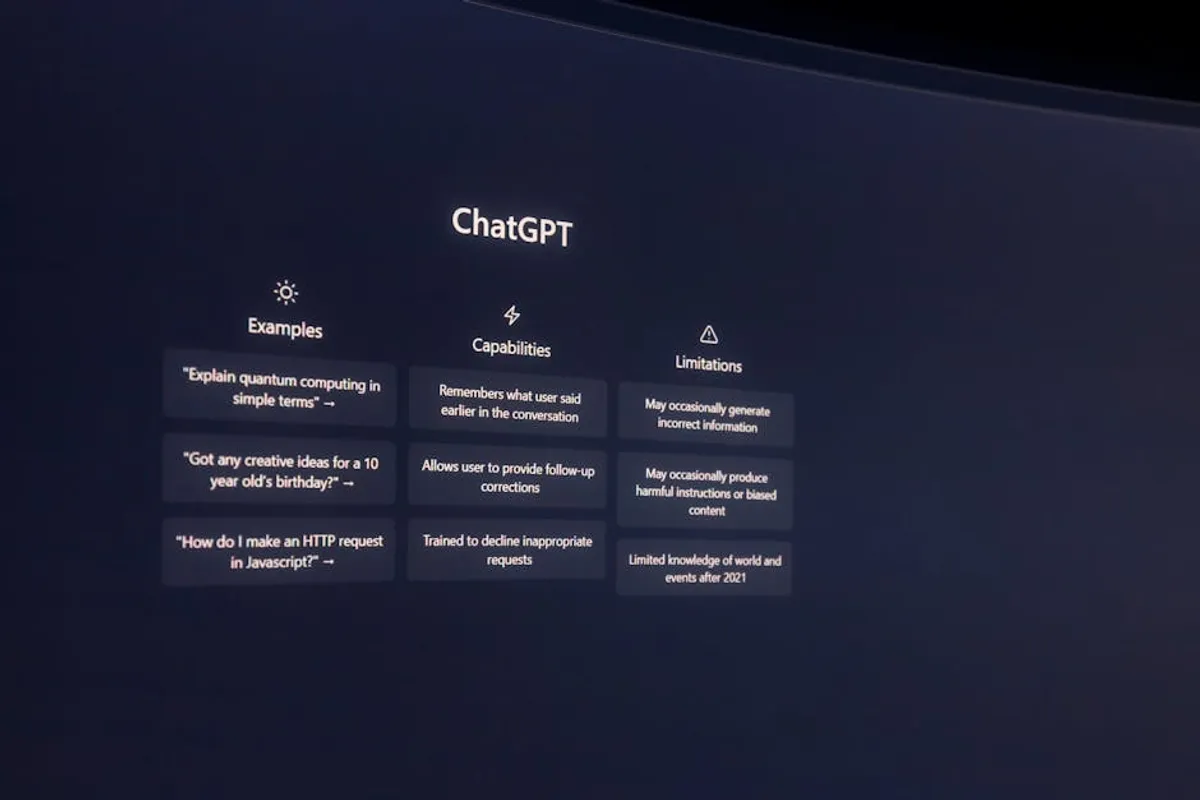
The landscape of large language models (LLMs) extends significantly beyond the widely recognized ChatGPT. For businesses, developers, and power users, identifying an alternative often hinges on specific operational needs, data privacy considerations, integration requirements, or cost efficiencies. While ChatGPT established a benchmark for conversational AI, other platforms have evolved with distinct strengths, whether in advanced reasoning, multimodal capabilities, specialized content generation, or enterprise-grade security. Understanding these nuanced differences is crucial for selecting an AI solution that aligns precisely with your objectives, rather than defaulting to the most popular option.
What to Look For in an Alternative
When evaluating alternatives, several key factors dictate suitability. The foundational model's capabilities are paramount; this includes its reasoning prowess, ability to handle complex prompts, and support for multimodal inputs like images or audio. Customization and fine-tuning options are critical for tailoring the AI to specific datasets or brand voices. Integration capabilities, such as robust APIs or plugins, determine how seamlessly the AI fits into existing workflows and applications. Data privacy and security protocols are non-negotiable for sensitive information, requiring adherence to industry standards and transparent data handling policies. Finally, pricing models, whether subscription-based, usage-based, or enterprise-tier, must align with budget constraints and anticipated scale of use. Each of these elements contributes to an AI solution's long-term commercial viability and operational effectiveness.
1. Google Gemini
Google Gemini represents Google's suite of multimodal AI models, designed to understand and operate across various data types, including text, code, audio, image, and video. It is presented in different sizes—Ultra, Pro, and Nano—to cater to a range of applications, from complex reasoning tasks to on-device deployment. Gemini integrates deeply with Google's ecosystem, enhancing products like Google Search, Chrome, and Workspace. Its core strength lies in its multimodal nature, enabling it to process and generate content from diverse inputs, which positions it as a versatile tool for tasks requiring cross-domain understanding and generation.
Key Features: Multimodal reasoning across text, code, audio, image, video; available in Ultra, Pro, and Nano versions; optimized for Google services integration; advanced coding capabilities; extended context window for complex prompts.
Pricing: Gemini Pro is available via API with usage-based pricing. Gemini Ultra access typically requires a Google One AI Premium plan. Gemini Nano is designed for on-device applications, with access details varying by device manufacturer and software integration.
Best For: Developers building multimodal applications; users deeply embedded in the Google ecosystem; tasks requiring complex reasoning over diverse data types; academic research involving multiple data modalities.
Pros:
- Strong multimodal capabilities for processing and generating varied content formats.
- Seamless integration with Google's extensive suite of products and services.
- Scalable model sizes (Nano, Pro, Ultra) for different performance and deployment needs.
- Demonstrated proficiency in complex reasoning and coding tasks.
Cons:
- Performance consistency can vary between different model sizes and specific tasks.
- Data privacy policies need careful review for sensitive enterprise applications.
- Full capabilities of Ultra model may require higher-tier subscriptions or specific access.
2. Anthropic Claude
Anthropic's Claude models are developed with a strong emphasis on safety, helpfulness, and honesty, guided by what Anthropic terms "Constitutional AI." This approach aims to reduce harmful outputs and improve alignment with user values. Claude models, particularly Claude 3 (Opus, Sonnet, Haiku), offer substantial context windows, allowing them to process and generate longer, more intricate documents and conversations. Their design prioritizes ethical considerations and robust performance in complex reasoning, making them suitable for sensitive applications where reliability and safety are paramount.
Key Features: "Constitutional AI" for safety and alignment; large context windows (up to 200K tokens for Claude 3 Opus); strong performance in complex reasoning and nuanced conversations; multimodal capabilities (image and video analysis in Claude 3); API access for developers.
Pricing: Claude models are available via API with usage-based pricing for different model tiers (Haiku, Sonnet, Opus). Subscription plans are also offered for direct user access to Claude Pro, providing higher usage limits and priority access.
Best For: Enterprises requiring highly reliable and safe AI outputs; applications involving extensive document analysis and summarization; customer support automation where ethical AI interaction is critical; content generation demanding nuanced understanding and reduced bias.
Pros:
- High safety standards and reduced propensity for harmful or biased outputs.
- Exceptional performance with long-form content due to large context windows.
- Strong reasoning abilities for complex analytical and conversational tasks.
- Offers a spectrum of models (Haiku, Sonnet, Opus) for varying performance and cost needs.
Cons:
- Can be more conservative in its responses compared to models optimized for creativity.
- API access and model integration may require specific development expertise.
- Cost can be higher for the most powerful models and extensive usage, particularly with Opus.
3. Perplexity AI
Perplexity AI distinguishes itself as a conversational answer engine that prioritizes factual accuracy and source transparency. Unlike traditional LLMs that generate responses without explicit citations, Perplexity AI integrates real-time web search and provides direct links to its information sources. This feature is invaluable for users who need to verify information, conduct research, or build arguments grounded in verifiable data. It combines the conversational interface of an LLM with the authoritative backing of a search engine, making it a hybrid tool for information retrieval and synthesis.
Key Features: Real-time web search integration; direct citation of sources for generated answers; conversational interface for follow-up questions; "Copilot" feature for guided searches; mobile application availability.
Pricing: Perplexity AI offers a free tier with basic search and answer capabilities. A Pro subscription provides enhanced features, including higher usage limits for Copilot, faster processing, and access to more powerful models, typically on a monthly or annual basis.
Best For: Researchers, journalists, and students needing verifiable information; content creators requiring factual accuracy and source attribution; anyone seeking to quickly understand complex topics with supporting evidence; individuals looking for a reliable alternative to traditional search engines for direct answers.
Pros:
- Provides direct citations, enhancing trust and verifiability of information.
- Excellent for research and fact-checking due to real-time web integration.
- Conversational interface simplifies complex information retrieval.
- "Copilot" feature guides users to more precise search results.
Cons:
- Relies heavily on external web sources, meaning results are only as current as indexed web content.
- May not be ideal for purely creative or imaginative content generation without factual constraints.
- The free tier has usage limitations, potentially impacting heavy users.
4. Microsoft Copilot
Microsoft Copilot is an AI-powered assistant integrated across Microsoft's product ecosystem, including Windows, Microsoft 365 applications (Word, Excel, PowerPoint, Outlook, Teams), and the Edge browser. It leverages large language models to assist users with a wide range of tasks, from drafting emails and summarizing documents to generating presentations and analyzing data. Copilot's strength lies in its contextual awareness within Microsoft applications, enabling it to perform actions and generate content directly relevant to the user's current work environment. Its design focuses on boosting productivity and streamlining workflows within the Microsoft suite.
Key Features: Deep integration with Microsoft 365 applications; AI assistance for content creation, summarization, and data analysis; available across Windows, Edge, and mobile devices; enterprise-grade security and compliance features for business users.
Pricing: Microsoft Copilot is available as an add-on subscription for Microsoft 365 Business and Enterprise plans. There are also consumer versions integrated into Windows and Edge, with some premium features requiring a Copilot Pro subscription.
Best For: Businesses and individuals heavily invested in the Microsoft 365 ecosystem; users seeking to automate and enhance productivity within Word, Excel, PowerPoint, Outlook, and Teams; developers building applications within the Microsoft Azure environment.
Pros:
- Seamless integration with widely used Microsoft 365 applications, enhancing existing workflows.
- Contextual understanding of user data within Microsoft apps for highly relevant assistance.
- Robust enterprise-grade security and compliance features for business use.
- Versatile assistance across document creation, data analysis, and communication.
Cons:
- Primarily beneficial for users within the Microsoft ecosystem, less so for other platforms.
- Requires a Microsoft 365 subscription, adding to overall software costs.
- The learning curve for maximizing its potential across different applications can be significant.
5. Jasper
Jasper is an AI-powered content platform specifically designed for marketing, sales, and creative teams. It focuses on generating high-quality written content across various formats, including blog posts, ad copy, social media updates, and email campaigns. Jasper offers a suite of templates and tools tailored to common marketing use cases, enabling users to produce branded content efficiently. Its strength lies in its ability to maintain brand voice consistency and optimize content for specific marketing objectives, making it a specialized tool for content production rather than a general-purpose conversational AI.
Key Features: Over 50 AI templates for various content types; "Brand Voice" feature for consistent tone; integration with SEO tools; long-form content editor; collaboration features for teams; API access for custom integrations.
Pricing: Jasper offers tiered subscription plans (Creator, Teams, Business) with varying word limits, features, and user access. Pricing is typically monthly or annual, with custom enterprise solutions available for larger organizations.
Best For: Marketing agencies and in-house marketing teams; content creators and copywriters; small businesses needing to scale content production; e-commerce businesses requiring product descriptions and ad copy; anyone focused on optimizing content for specific marketing goals.
Pros:
- Specialized for marketing and content creation, offering relevant templates and features.
- Helps maintain brand voice consistency across all generated content.
- Can significantly accelerate content production workflows.
- Integration with SEO tools assists in creating optimized content.
Cons:
- Less suitable for general conversational AI or complex reasoning tasks outside of content generation.
- Subscription costs can be higher than general-purpose AI models, especially for high usage.
- Requires human oversight and editing to ensure factual accuracy and nuanced expression.
6. Cohere
Cohere provides enterprise-grade large language models designed for developers and businesses to integrate into their applications. Unlike consumer-facing AI tools, Cohere focuses on offering robust API access to powerful models for tasks like text generation, summarization, search, and classification. Their models are built for scalability, security, and customization, making them suitable for complex enterprise solutions such as building advanced chatbots, enhancing search functionality, or automating content workflows. Cohere emphasizes RAG (Retrieval Augmented Generation) capabilities, allowing models to leverage proprietary data for more accurate and context-aware responses.
Key Features: Powerful API for text generation, summarization, search, and classification; RAG (Retrieval Augmented Generation) support for custom data integration; enterprise-grade security and compliance; multilingual capabilities; fine-tuning options for specific use cases.
Pricing: Cohere operates on a usage-based pricing model for its API, with costs varying by model used, tokens processed, and specific features accessed. Enterprise plans offer custom pricing and dedicated support.
Best For: Developers building AI-powered applications for enterprises; businesses needing to integrate advanced LLM capabilities into their existing platforms; organizations requiring custom AI models trained on proprietary data; companies focused on enhancing search and information retrieval within their systems.
Pros:
- Designed for enterprise scale and security, suitable for sensitive business applications.
- Strong RAG capabilities allow for highly accurate responses based on internal data.
- Comprehensive API provides flexibility for custom application development.
- Multilingual support extends utility to global operations.
Cons:
- Requires development expertise to integrate and utilize effectively via API.
- Not a direct consumer-facing conversational AI, lacking a simple chat interface for general users.
- Pricing can become substantial for high-volume enterprise usage.
7. Llama 2
Llama 2 is a family of open-source large language models developed by Meta AI, available for research and commercial use. It comes in various parameter sizes (7B, 13B, 70B) and includes both pre-trained and fine-tuned versions (Llama-2-Chat) optimized for conversational applications. As an open-source model, Llama 2 offers unparalleled flexibility for developers and researchers to customize, fine-tune, and deploy the models on their own infrastructure. This allows for greater control over data, privacy, and computational resources, making it a compelling option for those seeking transparency and deep customization.
Key Features: Open-source for research and commercial use; available in multiple parameter sizes (7B, 13B, 70B); pre-trained and fine-tuned (Chat) versions; extensive documentation and community support; deployable on private infrastructure for enhanced data control.
Pricing: Llama 2 is free to use for most commercial and research purposes, subject to Meta's licensing terms. Costs primarily involve the computational resources (hardware, cloud services) required to run and fine-tune the models, which vary significantly based on scale and specific implementation.
Best For: Developers and researchers needing deep customization and control over their AI models; organizations with specific data privacy or security requirements that necessitate on-premise deployment; startups and companies looking to build proprietary AI solutions without vendor lock-in; academic institutions exploring LLM capabilities.
Pros:
- Open-source nature provides complete transparency and customization options.
- Allows for on-premise deployment, offering maximum data privacy and security control.
- Large and active community for support, resources, and shared knowledge.
- Cost-effective for long-term, high-volume use once infrastructure is established.
Cons:
- Requires significant technical expertise and computational resources for deployment and fine-tuning.
- Performance can vary based on the chosen model size and specific fine-tuning efforts.
- Ongoing maintenance and updates fall to the user, unlike managed cloud services.
How to Choose the Right Alternative
Selecting the optimal AI alternative requires a methodical assessment of your specific use case, technical capabilities, and budgetary constraints. Begin by clearly defining the primary tasks the AI will perform: is it for content generation, complex data analysis, customer support, or multimodal interaction? Evaluate the model's core capabilities against these tasks, paying attention to its reasoning, context handling, and output quality. Next, consider integration: does the AI offer robust APIs for seamless workflow incorporation, or does it require significant development effort? Data privacy and security are paramount; ensure the chosen solution complies with all relevant regulations and internal policies. Finally, assess the total cost of ownership, including subscription fees, usage-based charges, and any associated infrastructure or development expenses. A pilot project or proof-of-concept can provide practical insights into a model's real-world performance and fit within your operational environment.
Frequently Asked Questions
What is the primary difference between open-source and proprietary AI models?
Open-source AI models, like Llama 2, provide access to their underlying code, allowing for transparency, customization, and deployment on private infrastructure. Proprietary models, such as those from Google or Anthropic, are developed and maintained by a specific company, offering managed services and often higher out-of-the-box performance but with less transparency and control over the model's internals.
Can these alternatives integrate with existing business software?
Many advanced AI alternatives offer robust API (Application Programming Interface) access, enabling integration with a wide range of existing business software, CRM systems, and internal applications. Solutions like Microsoft Copilot are designed for deep integration within their respective ecosystems, while others like Cohere focus specifically on providing enterprise-grade APIs for custom development.
Are there free versions or trials available for these AI alternatives?
Many AI alternatives offer free tiers, trial periods, or community editions to allow users to test their capabilities. Perplexity AI has a free tier, while models like Llama 2 are open-source and free to use, though they incur infrastructure costs. Paid subscriptions typically unlock higher usage limits, advanced features, or more powerful models.
How do I ensure data privacy when using third-party AI services?
To ensure data privacy, review the service provider's data handling policies, terms of service, and compliance certifications (e.g., GDPR, HIPAA). Look for features like data encryption, anonymization, and clear statements on how your data is used for model training or retained. For highly sensitive data, consider open-source models that can be deployed on your own secure infrastructure, providing maximum control.
What are multimodal AI capabilities, and why are they important?
Multimodal AI capabilities refer to an AI model's ability to process and generate information across multiple data types, such as text, images, audio, and video. This is important because it allows the AI to understand and respond to more complex, real-world inputs, making it suitable for tasks like analyzing video content, describing images, or generating creative content that combines different media elements.